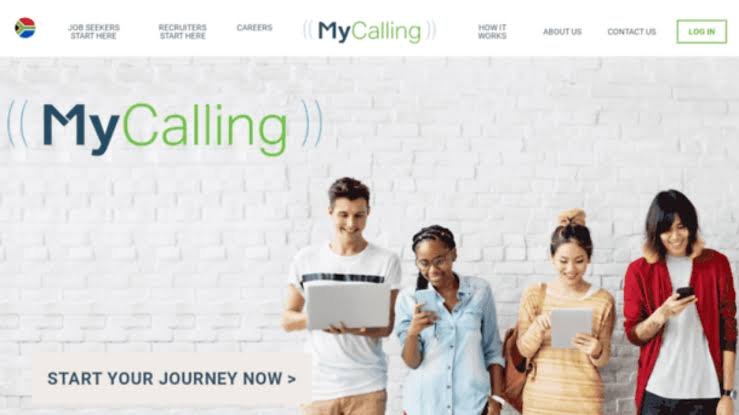
South African job seekers looking for work can submit their CV to MyCalling and create a digital candidate profile that recruiters can access when looking for suitable employees.
This is useful for unemployed candidates who do not want to rely only on applying for individual vacancies every day.
Once you register and complete your digital CV, MyCalling can market your profile to new career opportunities. Recruiters using the platform can access your digital CV, and interested recruiters can contact you directly.
According to MyCalling, interview invitations can be sent through:
SMS
Email
Your MyCalling account
Registration is completed online, and job seekers can upload an existing CV in PDF or Microsoft Word format.
MyCalling CV Registration 2026 Overview
Platform: MyCalling Country: South Africa Opportunity: Employment Opportunities Who Can Register: Job Seekers Application Type: Candidate Database / Digital CV Registration: Online CV Upload: Yes Accepted CV Formats: PDF or Microsoft Word Recruiter Contact: Recruiters can contact suitable candidates directly Interview Notifications: SMS, Email or MyCalling Account Registration Link: MyCalling Job Seeker Portal
What Is MyCalling?
MyCalling is an online recruitment platform that connects job seekers with employment opportunities.
Instead of only allowing candidates to search for vacancies, the platform also allows job seekers to create a digital CV.
Recruiters can access these candidate profiles when searching for suitable people.
This means your CV can continue working for you after you have registered.
You do not necessarily have to wait until you see a specific vacancy before creating your profile.
How Does MyCalling Work for Job Seekers?
MyCalling explains its candidate process in five main stages.
1. Register
Register with MyCalling and complete your digital CV.
You can also upload your existing CV to help populate information in your candidate profile.
2. MyCalling Markets Your Profile
Once your digital CV has been completed, MyCalling can begin marketing you to new career opportunities.
During registration, candidates are specifically asked to agree that they would like MyCalling to market them to new employment opportunities and contact them accordingly.
3. Recruiters Access Candidate CVs
Recruiters using MyCalling can access digital CVs belonging to candidates on the platform.
This is why completing your profile properly is important.
A half-completed profile may make it harder for recruiters to understand your qualifications and experience.
4. Interested Recruiters Contact You
If a recruiter is interested in your profile, they can contact you directly.
You should therefore make sure your:
Cellphone number is correct
Email address is correct
CV is updated
Employment history is accurate
Qualifications are correctly listed
5. Look Out for an Interview Invitation
MyCalling says candidates should look out for interview invitations through:
SMS
Email
MyCalling account
After registering, continue checking all three.
Can You Submit Your CV Without Applying for a Specific Job?
Yes.
This is one of the main reasons MyCalling is useful for job seekers.
You can register as a job seeker and complete your digital CV so that your information is available through the recruitment platform.
MyCalling says it then markets candidates to new career opportunities and gives recruiters access to their digital CVs.
Interested recruiters can contact suitable candidates directly.
This means you can register even when you have not found a particular vacancy you want to apply for.
MyCalling CV Upload Requirements
MyCalling currently allows candidates to upload an existing CV when registering.
Your CV must be in either:
PDF format, or
Microsoft Word format
MyCalling specifically states that images are not accepted as CV uploads.
For example, do not take photographs or screenshots of each page of your CV and try to upload those as your CV.
Use a proper PDF or Word document.
Information Needed to Register
The current MyCalling registration system asks job seekers for information including:
Title
First name
Surname
Nationality
ID number
Email address
Mobile number
Second mobile number, where applicable
Password
Candidates can also upload their CV.
You will also be asked to agree to the platform’s terms and indicate that you would like MyCalling to market you to new employment opportunities and contact you accordingly.
How to Submit Your CV at MyCalling in 2026
Follow these steps to register your CV.
Step 1: Open the MyCalling Job Seeker Website
Visit the MyCalling candidate registration platform.
If you have no formal employment history, focus your CV on:
Education
Learnerships
Volunteer work
Computer skills
Communication skills
Certificates
School achievements
Practical training
Relevant skills
Never invent work experience.
Recruiters can verify employment information.
Can You Register With Grade 10 or Grade 11?
The qualification required will depend on the job.
Registering a candidate profile is different from qualifying for a particular vacancy.
Enter your real highest education level.
If you completed Grade 10, say Grade 10.
If you completed Grade 11, say Grade 11.
If you completed Matric, provide your Grade 12 information.
Recruiters can then determine whether your education matches their vacancies.
What If You Have Matric but No Experience?
Register your CV.
Many young South Africans start looking for work without formal experience.
Your digital CV can still include:
Matric
School subjects
Computer skills
Driver’s licence, if applicable
Volunteer experience
Learnerships
Short courses
Languages
Personal skills
Apply for entry-level opportunities where experience is not required.
How to Make Your CV More Attractive to Recruiters
Uploading a CV does not automatically make it a good CV.
Before submitting yours, check that it contains:
Correct Contact Details
Your cellphone number and email address must work.
Clear Employment History
For every previous job, include:
Company
Position
Dates
Main duties
Education
Clearly state your highest qualification.
Skills
Include skills relevant to the jobs you want.
For example:
Microsoft Word
Microsoft Excel
Customer service
Cash handling
Administration
Sales
Stock control
Warehouse experience
Data capturing
Only list skills you genuinely have.
Clean Formatting
Your CV should be easy to read.
Avoid unnecessary graphics, complicated designs and excessive colours.
Remember that MyCalling accepts PDF and Microsoft Word CV files, not images.
Keep Your Phone Available
After registering on recruitment databases, start treating unknown calls more seriously.
A recruiter may call from a number you have never seen before.
You do not need to answer suspicious questions or provide sensitive banking information, but simply ignoring every unknown number could mean missing a genuine recruiter.
If you miss a call:
Check for voicemail
Check SMS
Check email
Check your MyCalling account
Job Scam Warning
Be careful even after registering on legitimate recruitment platforms.
Scammers sometimes pretend to represent real recruitment companies.
Be suspicious if someone asks for:
Your banking PIN
OTP
Online banking password
Payment to secure an interview
Payment to guarantee employment
Money for a job offer
Money before your salary can be released
A legitimate job application should not require you to buy a guaranteed position.
If someone contacts you claiming to represent a company, verify the opportunity before sending sensitive information.
Frequently Asked Questions About MyCalling CV Registration
1. Can I submit my CV to MyCalling?
Yes.
Job seekers can register with MyCalling and complete a digital CV.
An existing CV can also be uploaded during registration.
Update your candidate profile as soon as possible.
Recruiters cannot contact you if your information is outdated.
13. Can I search for vacancies myself?
Yes.
MyCalling also provides a careers section where candidates can search for current job listings.
14. Does submitting my CV guarantee employment?
No.
Registration gives recruiters access to your candidate information, but employment is not guaranteed.
15. Should I pay someone to put my CV on the database?
Do not pay someone who promises guaranteed employment or preferential placement.
Use the official MyCalling registration process.
Possible Interview Questions After a Recruiter Contacts You
The actual questions depend on the employer and position.
The following are general practice questions.
1. Tell us about yourself.
Example answer:
“My name is [Your Name]. I completed [your qualification] and I have experience in [area, if applicable]. I am currently looking for an opportunity where I can use my skills, gain more experience and contribute to the company.”
2. Why are you looking for a job?
Example answer:
“I am looking for an opportunity where I can develop professionally, gain experience and contribute my skills to an organisation.”
3. Why should we hire you?
Example answer:
“I am willing to learn, reliable and committed to doing my work properly. I believe my skills and attitude would allow me to contribute positively to the team.”
4. What experience do you have?
Explain your real experience.
If you do not have formal employment experience, mention relevant:
Learnerships
Training
Volunteer work
School projects
Practical experience
5. Are you currently employed?
Answer honestly.
6. When are you available to start?
Give your real availability.
7. What are your strengths?
Choose strengths that genuinely apply to you.
For example:
“I am reliable, willing to learn and able to work well with other people.”
8. What salary are you expecting?
If you do not know the normal salary range, you can say:
“I am open to discussing a market-related salary based on the responsibilities of the position and the company’s salary structure.”
9. Where are you currently located?
Give your actual area.
Recruiters ask this because some jobs require employees to live within reasonable travelling distance.
10. Are you willing to attend an interview?
Example answer:
“Yes. I am available to attend an interview and would appreciate the opportunity to discuss the position further.”
Final Tips for Job Seekers
Submitting your CV to a candidate database can improve your visibility, but it should form only one part of your job-search strategy.
Register your CV, keep your information updated and continue applying for jobs.
MyCalling says it can then market candidates to new career opportunities, recruiters can access digital CVs and interested recruiters can contact candidates directly.
Important: Fezile Nosenga is an independent career information website and is not MyCalling, an employer or a recruitment agency. Registering or submitting a CV does not guarantee an interview or employment. Candidates should verify communication received from recruiters before providing sensitive information.